Posted: Thu Oct 1
Due: Friday 10/2 10:00am
Submission name: w08_thermometer
The big picture
We’ll start off with yesterdays work, but add more options to our program, allowing for different temperature scales (celsius or farenheit).
Also, make sure you are testing your program by including a setup function that draws a thermometer for each type.
Program Modifications:
- Add two global variables at the top of your program:
int CELSIUS = 0;int FARENHEIT = 1;- Instead of being values that will change when the program is running, these will act like constants, so we can use
CELSIUSorFARENHEITwhen we want to reference different temperature scales (if you want you could add one forKELVIN).
- In order to use these constants, we have to modify the following:
drawThermometershould now have a parameter for the scale type, and pass that into function calls when needed.drawReadingshould now have a parameter for the scale type.- If the scale type is
CELSIUS, the temperature bar should be based on the range [0, 100]. - If the scale type is
FARENHEIT, the temperature bar should be based on the range [32, 212]. - Importantly, this means that the same temperature number will have different height depending on the scale used.
- If the scale type is
drawScaleshould have two new parameters, representing the minimum and maximum temperatures for the scale.
Reference Image:
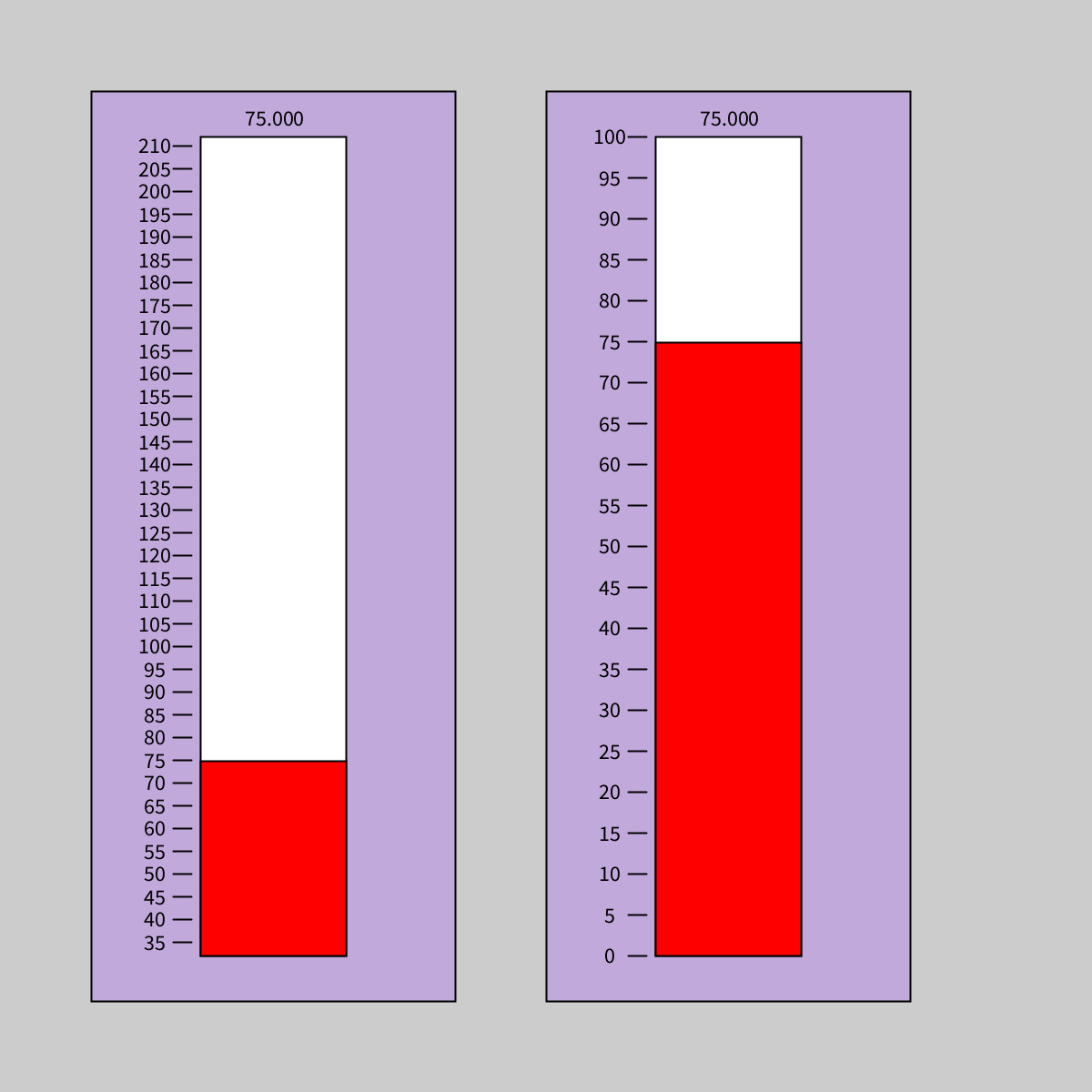
The reference image includes numbers, you do not need to add them.